


Drum Pads - Beat Maker Go
3.07.64K Reviews
App Specs
- Version
- 2.42
- Updated On
- License
- Free
- Downloads
- 50,000,000+
- Developer
- Gismart
- Categories
- Music & Audio
- Platform
- Android, iOS
Screenshots
 Analysis by AppCompare
I like rhythm apps most when they make it easy to try an idea before I talk myself out of it. That is the appeal of Drum Pads - Beat Maker Go: it puts beat-making on a set of touch pads, so a spare moment can become a quick experiment rather than a search through a complicated production setup. I find that immediacy useful for exploring patterns, even though it does not make a phone feel like a full studio.
A hands-on way to sketch a rhythm
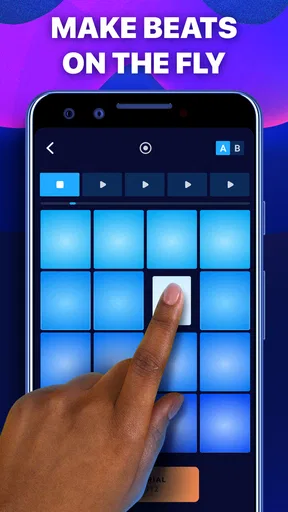
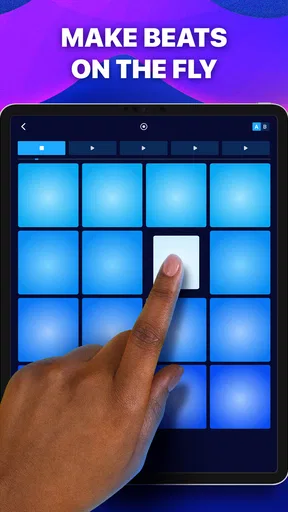
The central idea is simple: tap pads to trigger sounds and build a rhythm in real time. That direct interaction is a better fit for playful first attempts than a traditional music workstation, where tracks, timelines and editing tools can feel like a lot to take in. Here, I can concentrate on timing and the relationship between sounds. A loose pattern can start with a few taps, then become more deliberate as I repeat it and listen for what is missing.
That simplicity has a useful side effect: it encourages trying things without needing a polished plan. I can test whether a heavier pulse suits a lighter one, or whether a pause gives a pattern more shape. The app is most rewarding when I treat the pads as a sketching surface, not as a promise that every session will produce a finished track. For a beginner, that distinction helps keep the experience enjoyable; for someone with more musical experience, it makes the app a quick place to capture an impulse.
Making the pads work for you
I focus on making the pads useful as a small creative workspace, rather than treating every tap as a finished beat. Starting with only a few sounds gives me room to hear what each part contributes, and it makes a rough idea easier to return to later. From there, I can shape a repeatable pattern without losing the spontaneous feel that makes tapping appealing.
From first taps to a repeatable idea
When I begin, I try not to hit every pad just because it is available. I choose a few sounds and establish a pulse, then add another part only when it has a clear job. That small habit makes a big difference: the result is easier to follow, and I can tell whether a new sound improves the groove or only makes it busier. If I lose the rhythm, I strip back to the original taps rather than layering more on top.
The recording option is useful for keeping a take that has a good feel, even if it is rough around the edges. I would use it to save a quick idea before changing direction, then listen back and decide what deserves another pass. BPM control and a metronome can help when I want a steadier pace, but I would not treat them as a substitute for listening. A beat can be technically regular and still feel stiff, so I make small changes by ear instead of chasing a number.
Why the effect controls matter
Effects are where a simple pad pattern can take on a different mood. Reverb can make a sound feel more spacious, while delay and flanger offer other ways to alter its character. I enjoy trying these in real time because I can hear how a change affects the whole phrase instead of guessing from a setting alone. My practical advice is to change one effect at a time and keep the underlying beat steady. That makes it easier to notice what the effect is doing and to back away if it starts to blur the rhythm.
Worth Reading Before You Choose

Flipboard Shows What News Apps Must Do Beyond the Feed

Switching to Android Auto Means Rethinking Your Driving Routine

Google Calendar Makes a Crowded Week Easier to Manage

Ludo King Makes the Most of the Minutes Between Plans

Baby Panda World Brings Quick Play to Modern Phones, but Its Game Library Feels Busy

ESPN’s Live Game View Makes Following Close Games Easier
There is a trade-off here: effects can make an experiment more expressive, but they can also distract from timing and arrangement. I would use them after a pattern already works in a basic form. If the groove only seems interesting once several effects are applied, I go back to the dry version and check whether the original idea has enough shape. That simple comparison helps me make a more intentional choice rather than treating every control as something that must be used.
Good for spare moments, not every music task
A realistic use for me is a short break between other tasks: I open the app, tap out a rhythm while an idea is fresh, record it, and return to it later. It can also suit a beginner who wants to understand how repeated sounds form a groove without first learning a complicated arrangement interface. Because the interaction is physical and immediate, it is easy to explore sound combinations casually, even when I do not have a keyboard or other instrument to hand.
That convenience has limits. A phone screen gives me less room to work than a computer-based music program, and tapping pads is not the same as detailed editing across a song timeline. If I want to build a carefully arranged, multi-part production, I would choose a dedicated music-making tool instead. I also would not assume that a quick recording is automatically a finished track; it is more useful as a captured idea or a playful performance that I can revisit.
Who will get the most from it
Gismart’s app sits in the music and audio category and is free to install, which makes it easy to try as a casual creative outlet. It has an average rating of 3.1 from around 229,000 ratings, alongside over 50 million installs. Those figures suggest a widely tried app with mixed reactions, so I would approach it as an accessible way to experiment rather than assume it will suit every workflow. It is rated for Everyone, and in-app purchases range from $0.99 to $69.99 per item, so I would check the purchase options before committing to anything beyond the free experience.
The app makes the most sense for someone who enjoys tapping patterns, wants a low-pressure introduction to beat-making, or needs a fast way to save a rhythmic thought. It is less suitable for a musician who expects precise editing, a broad production workspace, or a dependable replacement for desktop software. If your main goal is to learn rhythm through hands-on play, the pad format is a genuine advantage; if your goal is to finish a complex composition, a more spacious tool is likely to serve you better.
What to expect before settling in
One question I would ask before downloading any beat-making app is whether I need to pay just to begin. Here, the app is free, but optional purchases are available. I would start with the basic experience and decide whether I enjoy the way the pads feel before spending money. The current version is 2.41.2, and Android support starts at version 5.0, useful details to check against an older device before installing.
I would also think about where I expect to use it. The touch-pad approach is well suited to a quiet break, a commute while safely seated, or a casual session at home; it is less comfortable if I need to compare many variations or make fine adjustments over a long arrangement. For a quick idea, recording and listening back can reveal whether the rhythm holds together outside the moment of tapping. That is a more useful test than judging a pattern only while I am actively playing it.
Compared with a conventional drum machine, this app feels more approachable and improvisational: I can tap immediately instead of setting up a detailed sequence first. Compared with a full music production app, it gives up depth and editing space in exchange for a more direct, pad-led experience. I see that as a clear choice rather than a flaw in every situation. The right alternative depends on whether I want to play with a beat now or shape a song with finer control later.
Getting Into the Groove
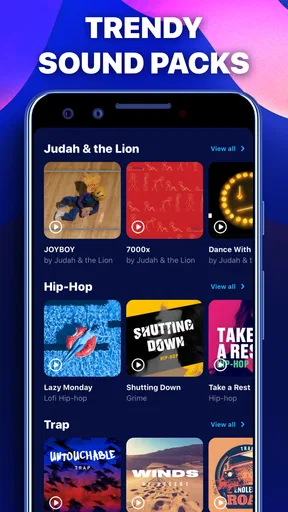
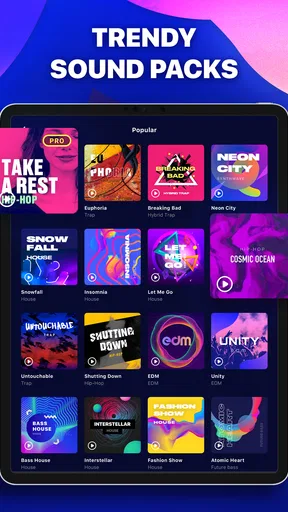
First off, downloading Drum Pads - Beat Maker Go was a breeze. It’s available for both Android and iOS, so no worries about compatibility. Once installed, the app greeted me with a sleek, intuitive interface. You don’t need to be a professional DJ to get started, which is a huge plus in my book. The app features a variety of sound packs, ranging from hip-hop to dubstep, and even some electronic and trap beats. I felt like a kid in a candy store with all these options.
Features That Hit the Right Note
One of the standout features for me was the app’s user-friendly layout. The pads are responsive and well-arranged, making it easy to create complex rhythms or simple loops. I was impressed with the quality of the sounds—crisp and professional, just like you’d expect from a high-end studio.
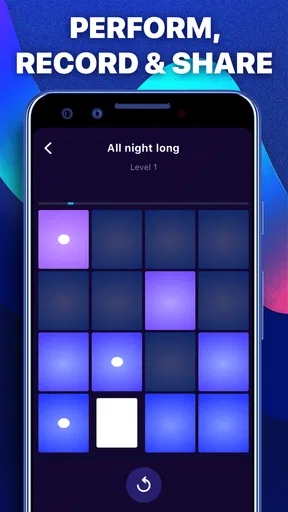
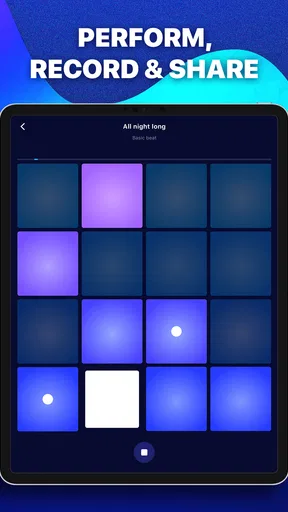
Another cool feature is the ability to record your sessions. You can lay down a beat, add some effects, and save it for later. This is perfect for those moments when inspiration strikes, and you need to capture your creativity on the spot. Plus, the app offers a metronome and BPM control, allowing me to fine-tune my beats to perfection.
Playing With Effects
The effects panel in Drum Pads - Beat Maker Go is where the magic happens. Whether it’s reverb, delay, or flanger, the app lets you tweak your beats until they sound just right. I spent hours experimenting with different combinations, and it felt like I had a mini music studio in my pocket. The real-time effects application allows you to modify sounds on the fly, which is essential when you’re trying to nail that perfect vibe.
Community and Sharing
One of the things I love about this app is its vibrant community. You can share your creations with friends or even upload them to social media. There’s something incredibly satisfying about seeing other users jam to your beats. The app also features a leaderboard where you can see how your tracks stack up against others. It’s a fun way to challenge yourself and get inspired by what others are creating.
Learning and Growing
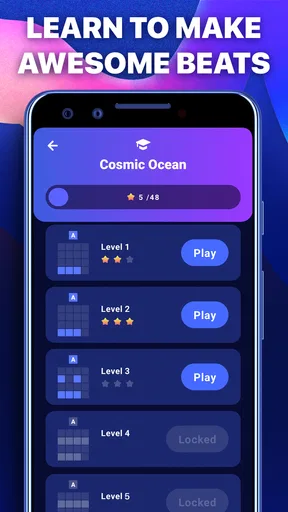
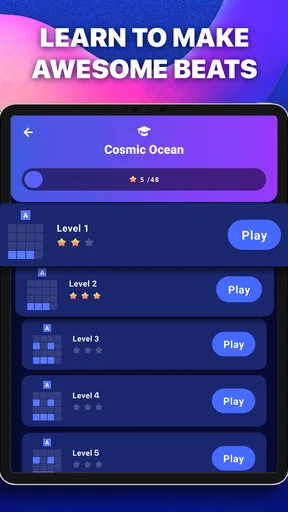
If you’re new to beat-making, don’t worry. The app includes tutorials and guides to help you get started. I found these resources incredibly useful for picking up tips and tricks that I wouldn’t have thought of on my own. The learning curve is gentle, so you can start making good-sounding beats right away, even if you’re a complete novice.
Final Thoughts
Overall, Drum Pads - Beat Maker Go is a fantastic tool for anyone interested in music production, whether you’re a seasoned pro or just starting out. It’s fun, easy to use, and packed with features that allow you to express your creativity. If you’re looking to make some noise and have a blast doing it, I’d highly recommend giving this app a try. Just be warned—it’s addictively fun!
Pros
- Intuitive interface for easy use.
- Wide range of sound packs.
- Real-time audio effects.
- Customizable pad layouts.
- Offline mode available.
Cons
- Ads can be intrusive.
- Limited features in free version.
- Sound packs may require purchase.
- Occasional app crashes.
- Requires large storage space.
FAQs for Drum Pads - Beat Maker Go
What features does Drum Pads - Beat Maker Go offer?
Drum Pads - Beat Maker Go provides a wide range of features for music enthusiasts, including an extensive library of sound packs across different genres, customizable drum pads, and real-time audio effects. The app also supports live recording and allows users to share their creations easily. It's designed for both beginners and experienced beat makers.
Is Drum Pads - Beat Maker Go suitable for beginners?
Yes, Drum Pads - Beat Maker Go is highly suitable for beginners. The app has an intuitive interface with easy-to-follow tutorials and guides. Beginners can start making beats right away using pre-made sound packs and gradually explore more advanced features as they become more comfortable.
Are there any in-app purchases in Drum Pads - Beat Maker Go?
Drum Pads - Beat Maker Go is free to download, but it does offer in-app purchases. These purchases include additional sound packs, premium features, and an ad-free experience. While the basic version is fully functional, purchasing additional content can enhance the creative possibilities for users.
Can I use Drum Pads - Beat Maker Go offline?
Drum Pads - Beat Maker Go requires an internet connection to download new sound packs and updates. However, once the sound packs are downloaded, users can access and use them offline, making it convenient for creating music anytime, anywhere, without needing continuous internet access.
How does Drum Pads - Beat Maker Go compare to other beat-making apps?
Drum Pads - Beat Maker Go stands out due to its user-friendly interface, diverse sound library, and real-time audio effects. While there are many beat-making apps available, this app is notable for its balance between simplicity and functionality. It caters to both casual users and those looking to explore deeper music production tools.


